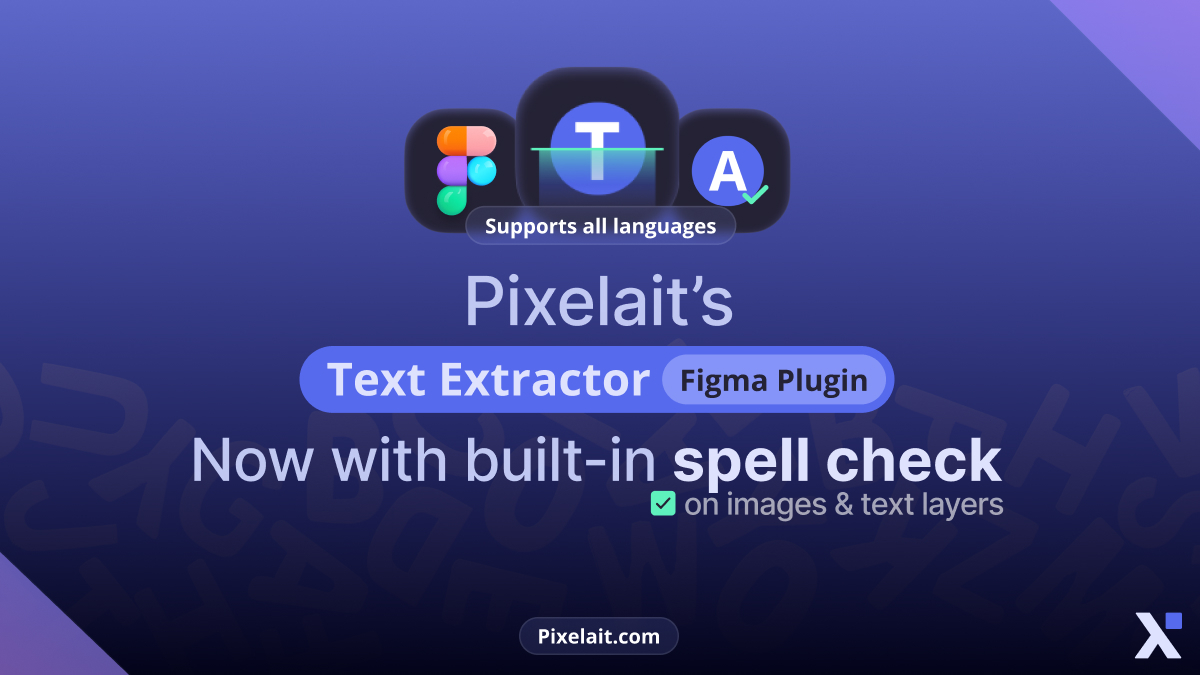
Text extraction just became significantly more powerful. Pixelait’s Text Extractor now includes integrated spell checking, combining OCR capabilities with grammar validation in a single workflow. Moreover, this enhancement eliminates the need to switch between extraction and validation tools—upload images, extract text, and verify spelling simultaneously. Furthermore, multilingual support ensures accurate checking across all languages without configuration hassles.
Previously, designers and content creators extracted text from images using OCR tools, then copied results into separate spell checkers for validation. Consequently, this multi-step process wasted time and increased error risks during content transfer. The new Pixelait spell checker integration streamlines workflows dramatically by automating validation immediately after extraction.
What’s New: Integrated Spell Checking
Seamless Validation After Extraction
The enhanced Text Extractor now analyzes extracted text automatically, flagging spelling and grammar errors without requiring separate checking steps. Therefore, users receive clean, validated content ready for immediate use. Moreover, real-time validation catches extraction inaccuracies and actual spelling errors simultaneously.
This integration proves particularly valuable when extracting text from screenshots, design mockups, or scanned documents where OCR occasionally misinterprets characters. Consequently, Pixelait spell checker identifies questionable extractions requiring review before content gets published or integrated into projects.
Available in Figma Plugin
The Text Extractor Figma plugin now includes built-in spell checking bringing validation directly into design workflows. Specifically, designers extract text from design files, screenshots, or reference images while simultaneously verifying spelling accuracy. Furthermore, this integration prevents publishing interfaces containing extracted text with undetected errors.
For teams creating multilingual interfaces, the plugin’s spell checking ensures consistent quality across language versions. Additionally, catching errors during design rather than after development saves significant time and resources.
Complete Language Support
Unlike many spell checkers limiting support to major languages, Pixelait spell checker validates text in all languages automatically. Therefore, extracting text from documents in Spanish, French, German, Japanese, Arabic, or any other language triggers appropriate spell checking without manual language selection. Moreover, automatic language detection applies correct grammar rules ensuring accurate validation.
This comprehensive language support proves essential for international teams working across multiple markets. Furthermore, translation verification becomes straightforward—extract translated text and validate spelling instantly.
How the Integration Works
Upload and Extract
The workflow remains intuitive while adding powerful validation capabilities:
- Upload Image: Select screenshots, photos, design mockups, or scanned documents containing text requiring extraction
- Automatic OCR: Text Extractor analyzes images identifying and extracting readable text using advanced optical character recognition
- Instant Spell Check: Pixelait spell checker automatically validates extracted content flagging spelling and grammar errors
- Review and Correct: Edit flagged issues directly within the interface receiving suggestions for corrections
- Export Clean Text: Copy validated content ready for immediate use in projects, documents, or designs
This streamlined process eliminates switching between tools, copying content multiple times, or worrying whether extraction accuracy gets verified before use.
Real-Time Error Detection
As Text Extractor processes images, Pixelait spell checker analyzes results in real-time. Consequently, users see both extraction output and validation feedback simultaneously. Moreover, color-coded highlighting distinguishes extraction uncertainties from confirmed spelling errors.
This dual validation helps users determine whether flagged content represents OCR misinterpretation or actual source material errors. Therefore, correction decisions become more informed and accurate.
Contextual Suggestions
The integrated Pixelait spell checker provides contextual correction suggestions understanding how words function within sentences. Specifically, it distinguishes between homophones like “their,” “there,” and “they’re” based on grammatical context. Furthermore, these intelligent suggestions accelerate correction workflows beyond simple dictionary lookups.
For comprehensive understanding of OCR tool capabilities, Converting Screenshots to Editable Text: Free OCR Tools Compared explores how different platforms handle text extraction challenges.
Why This Integration Matters
Workflow Efficiency
Combining extraction and validation eliminates tool switching that fragments workflows and wastes time. Therefore, designers and content creators maintain focus while ensuring quality. Moreover, integrated checking catches errors during initial review rather than after content gets distributed or published.
Previously, extracting text from design mockups required:
- Screenshot or export design
- Upload to OCR tool
- Copy extracted text
- Paste into spell checker
- Review and correct
- Copy corrected text
- Paste into final destination
Now, the process simplifies dramatically:
- Upload image to Text Extractor
- Review extraction and spelling simultaneously
- Make corrections in-place
- Export validated text
This efficiency particularly benefits teams processing high volumes of extracted content regularly.
Design Quality Assurance
For designers extracting text from reference materials, competitor interfaces, or client-provided content, built-in Pixelait spell checker ensures accuracy before integration into projects. Consequently, extracted content doesn’t introduce spelling errors into otherwise polished designs.
This validation proves especially critical when extracting text from screenshots of existing interfaces during redesign projects. Moreover, catching errors early prevents propagating mistakes throughout new design iterations.
Multilingual Project Support
International teams working across language boundaries benefit tremendously from automatic language detection and comprehensive spell checking. Therefore, extracting text from French design mockups, German documentation screenshots, or Japanese interface references triggers appropriate validation without configuration.
Language-specific grammar rules apply automatically ensuring accurate checking across all supported languages. Furthermore, this capability makes Text Extractor valuable for translation verification workflows.
For detailed guidance on Figma text extraction, How to Extract Text from Image in Figma provides step-by-step instructions maximizing plugin effectiveness.
Practical Applications
Design System Documentation
Extracting text from design system screenshots or reference materials while simultaneously validating spelling ensures accurate documentation. Moreover, this prevents perpetuating typos from source materials into formal documentation.
Design teams can extract component descriptions, usage guidelines, or specification text from visual references knowing validation happens automatically. Consequently, documentation quality improves without additional review steps.
Competitive Analysis
When analyzing competitor interfaces or industry references, extracting text with integrated spell checking helps identify both content and quality issues. Therefore, competitive intelligence gathering becomes more comprehensive revealing not just what competitors say but how well they say it.
Teams can extract competitor copy, validate it through Pixelait spell checker, and analyze messaging quality alongside content substance. Furthermore, this dual perspective provides richer competitive insights.
Content Migration
Migrating content from legacy systems often involves extracting text from screenshots when source files aren’t accessible. Integrated spell checking ensures migrated content meets current quality standards. Moreover, it catches errors that may have existed in original content preventing their migration into new systems.
This validation proves particularly valuable when modernizing older interfaces where spelling conventions or terminology may have evolved since original creation.
Accessibility Improvements
Extracting interface text for accessibility analysis benefits from simultaneous spell checking. Specifically, screen reader compatibility requires correct spelling ensuring proper pronunciation. Therefore, validating extracted text helps identify accessibility barriers before formal testing.
Alt text creation, label verification, and content description writing all benefit from spell-checked extracted text. Furthermore, this supports creating more accessible digital experiences efficiently.
Translation Verification
Translation quality assurance workflows often involve extracting translated text from localized interfaces comparing it against source content. Built-in Pixelait spell checker validates translation spelling while extraction happens. Consequently, translation errors get identified immediately rather than during separate validation passes.
This integration accelerates translation QA cycles particularly for teams managing multiple language versions simultaneously.
Advanced Features
Batch Processing
Upload multiple images simultaneously receiving extracted and spell-checked text from all sources. Therefore, processing large volumes of content becomes efficient without sacrificing validation quality. Moreover, batch workflows prove essential for migration projects or comprehensive competitive analysis.
Custom Dictionary Support
Add industry-specific terminology, product names, or technical jargon to custom dictionaries preventing false flags during extraction and validation. Consequently, Pixelait spell checker focuses attention on genuine errors rather than specialized vocabulary.
Custom dictionaries prove particularly valuable for technical documentation, specialized industries, and branded content containing unique terminology.
Export Flexibility
Export validated text in various formats supporting different downstream workflows. Specifically, copy as plain text, formatted text, or structured data depending on destination requirements. Moreover, export options ensure extracted and validated content integrates seamlessly into existing processes.
Comparison with Previous Workflows
Before Integration
Traditional workflows required multiple tools and manual steps:
- OCR tool for extraction
- Spell checker for validation
- Manual copying between tools
- Separate language detection
- Individual tool learning curves
- Increased error opportunities during transfers
After Integration
Streamlined workflows using Text Extractor with built-in Pixelait spell checker:
- Single tool handling extraction and validation
- Automatic spell checking
- No manual content transfer
- Automatic language detection
- Unified interface reducing learning requirements
- Reduced error opportunities
Time savings compound across projects making integrated workflows significantly more efficient.
For insights on how spell checking saves time more broadly, Why Spell Check Online Tools Save Time for Writers explores productivity benefits from automated validation.
Getting Started
Accessing Text Extractor with Spell Check
The enhanced Text Extractor with integrated Pixelait spell checker is available through:
Web Interface: Visit Text Extractor Premium for browser-based access requiring no installation
Figma Plugin: Install Text Extractor plugin from Figma Community for design-integrated workflows
Both versions include complete spell checking functionality across all supported languages.
Basic Usage
- Select Source: Choose image upload or screen capture depending on platform
- Process Image: Text Extractor analyzes image extracting readable text automatically
- Review Results: Examine extracted text noting spelling and grammar highlights
- Make Corrections: Address flagged issues using contextual suggestions
- Export Content: Copy validated text into projects, documents, or designs
The intuitive interface requires minimal learning enabling immediate productivity.
Best Practices
Image Quality: Higher resolution source images produce more accurate extraction reducing spell checker workload distinguishing OCR errors from actual mistakes
Language Consistency: When processing multilingual content, separate images by language for optimal extraction and validation accuracy
Review Carefully: While automation catches most errors, always review extracted content understanding OCR limitations particularly with unusual fonts or image quality issues
Build Custom Dictionaries: Add frequently-used specialized terms preventing repeated false flags across projects
For understanding free spell checking approaches more broadly, How to Spell Check Free Without Installing Software explores accessible validation options.
Future Enhancements
Expanding Capabilities
The Text Extractor and Pixelait spell checker integration represents initial enhancement with additional features planned:
Style Checking: Beyond spelling and grammar, analyze tone, clarity, and readability of extracted content
Translation Suggestions: Detect source language and offer translation options directly within extraction workflow
Content Analysis: Provide insights about extracted text including reading level, keyword density, and sentiment
Version Comparison: Compare extracted text across different versions identifying changes and validating consistency
These enhancements will further streamline workflows eliminating additional separate tools.
Conclusion
Integrating Pixelait spell checker into Text Extractor transforms text extraction from simple OCR into comprehensive content validation. Moreover, this seamless combination saves time while improving quality—extract text from any image and receive validated, error-free content ready for immediate use across all supported languages.
For designers using the Figma plugin, spell checking brings quality assurance directly into design workflows preventing extracted text from introducing errors into polished interfaces. Furthermore, automatic language detection and comprehensive grammar checking work seamlessly without configuration requirements.
The workflow efficiency gains compound across projects making integrated extraction and validation essential productivity infrastructure. Therefore, teams processing extracted content regularly benefit significantly from this streamlined approach eliminating tool switching and manual validation steps.
Start using the enhanced Text Extractor today through the web interface or Figma plugin. Moreover, experience how integrated Pixelait spell checker transforms text extraction into comprehensive content preparation delivering validated, publication-ready text instantly.
Quality text extraction combined with sophisticated spell checking represents the modern approach to content handling—efficient, accurate, and accessible across all languages without complexity. Furthermore, this integration demonstrates commitment to solving real workflow challenges through thoughtful tool enhancement rather than requiring users to assemble multi-tool solutions independently.

